Data Protection
Protect important files before, during, and after migration with secure backups to external USB drives and reputable cloud storage options, helping reduce the risk of accidental loss.

Moving to a new computer should not mean losing files, photos, settings, or productivity. All Pro Computer Solutions helps home users, home offices, and businesses transfer important data safely to a new PC, with careful backup planning and setup support. From North Bay households to small business workstations, APCS makes the transition smoother, safer, and easier to manage.
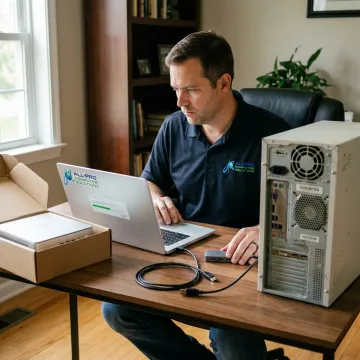
Secure transfer, backup, recovery, and setup services for a smooth move to your new PC.
Protect important files before, during, and after migration with secure backups to external USB drives and reputable cloud storage options, helping reduce the risk of accidental loss.
Move files, backups, and collaboration data into cloud environments for easier access, secure storage, and continuity across your new PC and other connected devices.
Recover files from failing hard drives, SSDs, dead computers, power-related failures, or damaged laptops before transferring usable data onto a replacement computer.
Install, configure, update, and check compatibility for essential software so your new PC is ready for daily work, home use, or business operations.
Receive in-home computer help for new PC setup, file transfers, printers, Wi-Fi, peripherals, and home office technology needs with concierge-level attention.
Get personalized migration planning based on your devices, goals, budget, and workflow, with support for one-time setup or broader ongoing IT needs.
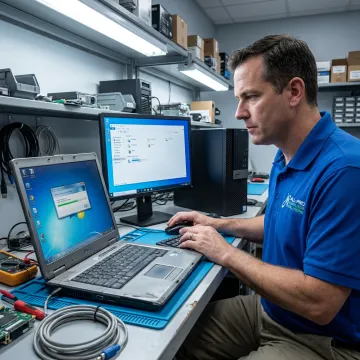
APCS starts by checking your current computer, drive health, user files, cloud accounts, programs, and backup status. This helps identify what can be transferred safely and whether recovery is needed before migration begins.
APCS has grown through referrals by helping clients keep technology simple, secure, and reliable.
"I have been a Mac user since day 1. Richard gave me simple tips no one else has that helped my computer run faster. Richard knows his stuff thank you for your support! I have recommended Richard to friends and clients."

Get experienced, personal IT help from a trusted North Bay computer support provider.
Serving homes and businesses with dependable IT support for over 25 years.
Personalized solutions are tailored to your computer, files, workflow, and budget.
APCS serves the North Bay, including Sonoma, Marin, and Mendocino County clients.
Backups, recovery, and secure transfer practices help protect your important information.
Experienced computer support from a trusted local technician.

Technician
Richard is a highly skilled IT technician at All Pro Computer Solutions with a reputation for delivering fast, reliable results across the Bay Area and North Bay corridor. He specializes in emergency technical support, data recovery from failing drives, and building custom computers tailored for both business and personal use. Richard is known for his ability to break down complex IT problems into simple, actionable solutions—often sharing practical tips that help clients' computers run faster and more efficiently long after the service call. His work ethic and expertise have made him a go-to resource for dozens of satisfied clients who regularly recommend him to colleagues, neighbors, and fellow small business owners throughout Sonoma and Marin counties.
Most personal and business files can be transferred, including documents, photos, videos, music, desktop folders, downloads, and selected application data when accessible. APCS reviews the old computer first to identify what is available, what should be backed up, and whether any files need recovery from a failing drive before migration.
Talk with APCS about your new PC setup needs.
APCS provides computer migration and setup support for homes and businesses across the North Bay.
North Bay
Service Area
Mon–Fri
Availability
25+ Years
Experience
Contact APCS to confirm availability for your location.

Longstanding IT support for homes and businesses.
Built on referrals, service, and accountability.
Personalized technology help for each client.
Tell APCS about your old computer, new PC, data needs, and preferred service location. The team will help you plan the safest path for migration, backup, recovery, and setup.
For immediate assistance, feel free to give us a direct call at (707) 400 7100. You can also send us a quick email at apcs.rd@gmail.com.
For immediate assistance, feel free to give us a direct call at (707) 400 7100. You can also send us a quick email at apcs.rd@gmail.com.